
Pick a plan.
Activate two computers.
Every plan starts with a 14-day Pro trial: all features, no credit card. The Free Plan lasts forever; Pro unlocks everything.
- 5 clips per song
- 5 songs per project
- Backing tracks (stereo)
- Color clips & editors
- Discord community
- Everything, unlimited
- MIDI + Stream Deck
- Multichannel audio
- Effects & visualizers
- Cameras + HDMI capture
- Premium support
- All Pro features
- No subscription
- Includes 2 years of updates
- Yours forever
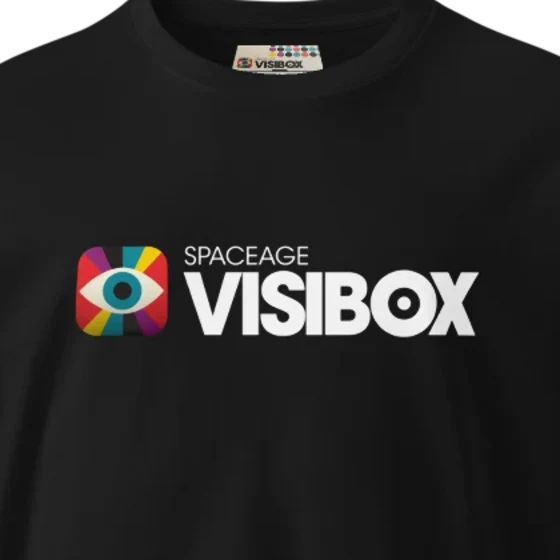
Quality merch.
Tees and hats from the Spaceage shop: analog, high-fidelity, and machine washable.
Need a hand wiring it all up?
One-on-one consulting to get Visibox talking to your projectors, controllers, and the rest of your rig.
What's in Free. What's in Pro.
| Feature | Free | Pro |
|---|---|---|
| Limitations | ||
| Unlimited Songs & ClipsFree caps at 5 Clips / Song and 5 Songs / Project | — | ✓ |
| Watermark-free output | — | ✓ |
| Audio | ||
| Song-attached audio (backing tracks) | ✓ | ✓ |
| Common formats: MP3, WAV, FLAC, Opus, AAC… | ✓ | ✓ |
| Auto-convert most audio formats | — | ✓ |
| Stereo audio | ✓ | ✓ |
| Multi-channel playback | — | ✓ |
| Merge stem files for multi-channel | — | ✓ |
| Per-Clip & per-Song level meters | ✓ | ✓ |
| Clip Playback | ||
| Loop & Resume From Start | ✓ | ✓ |
| Cross-fade between clips | — | ✓ |
| One-shot, Stutter, Freeze, Auto-advance | — | ✓ |
| Rotate, flip, letterbox, aspect ratio | — | ✓ |
| Clip filters | — | ✓ |
| Stackable effects + Effects EditorMotion, Audio-Reactive, Glitch, Retro, Dream, Look | — | ✓ |
| Color Clips | ✓ | ✓ |
| Sync to Song Position | — | ✓ |
| Visualizers | ||
| Audio-reactive Visualizer ClipsMilkDrop + ISF preset support | — | ✓ |
| Visualizers Editor | — | ✓ |
| Input & Control | ||
| Computer keyboard & mouse | ✓ | ✓ |
| MIDI control & mapping | — | ✓ |
| Stream Deck control | — | ✓ |
| Camera / webcam clips | — | ✓ |
| AI Assistant integration (MCP server) | — | ✓ |
| Visibox CLI | — | ✓ |
| HTTP & WebSocket API | — | ✓ |
| Project Management | ||
| Clip & Song editors | ✓ | ✓ |
| Save Project | ✓ | ✓ |
| Save As… | — | ✓ |
| Open multiple projects at once | — | ✓ |
| Drag songs / clips between projects | — | ✓ |
| Media Tools | ||
| Media file conversion | — | ✓ |
| Project optimization tools | — | ✓ |
| Display & Interface | ||
| 7 interface languages 🇺🇸 🇪🇸 🇫🇷 🇩🇪 🇮🇹 🇯🇵 🇰🇷 | ✓ | ✓ |
| Playback timers | ✓ | ✓ |
| Hide output control bar | — | ✓ |
| Video wall stretch | — | ✓ |
| Flip / Rotate / Letterbox / Aspect | — | ✓ |
| Support | ||
| Documentation & manual | ✓ | ✓ |
| Discord community & monthly office hours | ✓ | ✓ |
| Premium support | — | ✓ |
| Advanced | ||
| Early access to beta features | — | ✓ |
| Download | ||
14-day Pro trial
Every new activation unlocks all Pro features for 14 days. The only catch is a watermark on the Output window. After that, keep the Free Plan or go Pro.
Two computers per plan
One subscription activates on up to two machines at once. Need more? Add subscriptions under the same email. Deactivate anytime to move a seat.
Built for the road
Monthly plans phone home every 30 days; annual every 6 months, with plenty of warning. Your live rig keeps working even when the venue wifi doesn’t.
Cancel anytime
Manage or cancel from Help → Registration in the app, or the Subscribe page. Questions? Contact us.